
Hyundai Santa Fe (TM): Body (Interior and Exterior) / Front End Module
Front Bumper Beam Assembly. Components and components location
| Components Location |
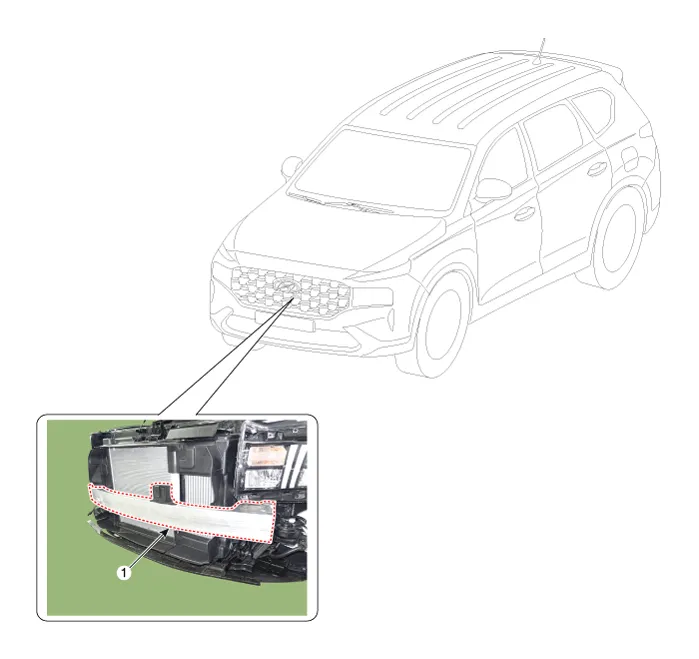
| 1. Front bumper
beam assembly |
Front Bumper Beam Assembly. Repair procedures
| Replacement |
|

| 1. |
Disconnect the battery (-) terminal.
|
| 2. |
Remove the front bumper assembly.
(Refer to Front Bumper - "Front Bumper Assembly")
|
| 3. |
Remove the front radar unit.
(Refer to Advanced Driver Assistance System (ADAS) - "Front Radar Unit")
|
| 4. |
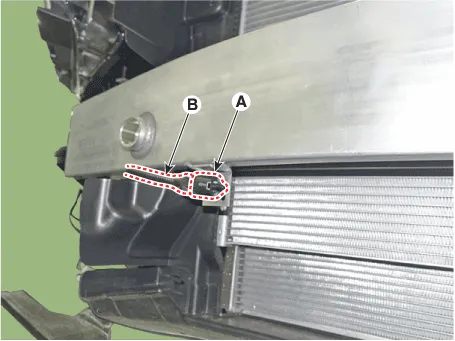
Disconnect the connector (A) and then remove the ambient temperature
sensor (B).
|
| 5. |
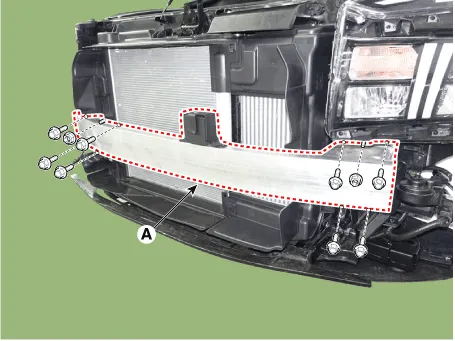
Loosen the bolts, nuts and remove the front bumper beam assembly (A).
|
| 6. |
To install, reverse removal procedure.
|
Carrier Assembly. Components and components location
| Components Location |
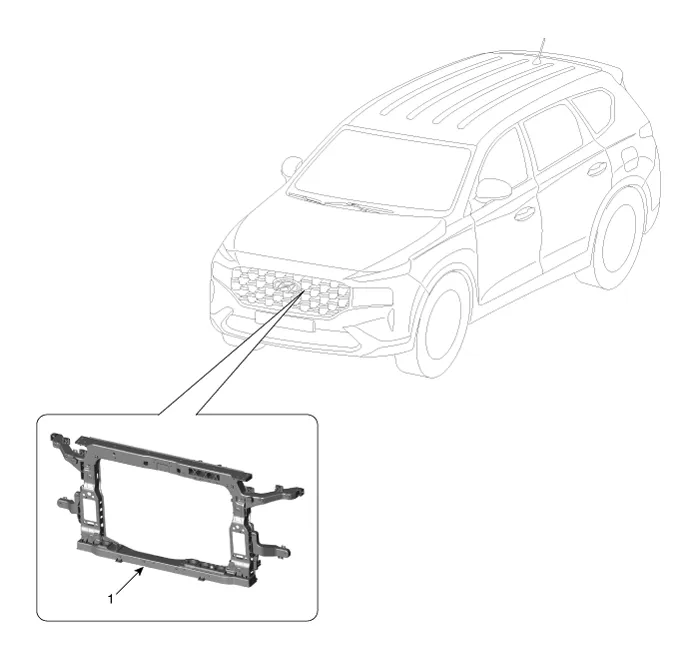
| 1. Carrier assembly |
Carrier Assembly. Repair procedures
| Replacement |
|
| 1. |
Disconnect the battery (-) terminal.
|
| 2. |
Disconnect the water cooled intercooler inlet hose and then drain the
water cooled intercooler coolant.
(Refer to Engine Mechanical System - "Coolant")
|
| 3. |
Recover the refrigerant with a recovery/recycling/charging station.
(Refer to Heating, Ventilation and Air Conditioning - "Air Conditioning
System (Repair procedures)")
|
| 4. |
Remove the front impact sensor connectors.
(Refer to Restraint (AUTOLIV(Depowered)) - "Front Impact Sensor (FIS)")
|
| 5. |
Remove the front bumper assembly.
(Refer to Front Bumper - "Front Bumper Assembly")
|
| 6. |
Remove the head lamps.
(Refer to Body Electrical System - "Head Lamps")
|
| 7. |
Remove the air cleaner.
(Refer to Engine Mechanical System - "Air Cleaner")
|
| 8. |
Remove the horn.
(Refer to Body Electrical System - "Horn")
|
| 9. |
Remove the front bumper beam assembly.
(Refer to Front End Module - "Front Bumper Beam Assembly")
|
| 10. |
Remove the condenser.
(Refer to Heating, Ventilation And Air Conditioning - "Condenser")
|
| 11. |
Remove the radiator.
(Refer to Engine Mechanical System - "Radiator")
|
| 12. |
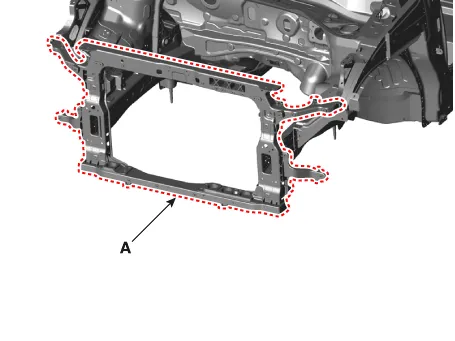
After loosening the mounting bolts, remove the front end module carrier
assembly (A).
|
| 13. |
To install, reverse removal procedure.
|
Repair procedures Replacement • Put on gloves to prevent hand injuries.
Components and components location Components 1. Front bumper side bracket [LH] 2. Front bumper side bracket [RH] 3.
Other information:
Hyundai Santa Fe (TM) 2019-2023 Service and Repair Manual: IMS (Integrated Memory)
Description and operation Description The optimal seat position set by the driver is memorized into the power seat unit by using IMS switch. In case of the position change, the seat can restore its preset position by IMS switch.
Hyundai Santa Fe (TM) 2019-2023 Service and Repair Manual: Electro Chromic Inside Rear View Mirror
Description and operation Description The ECM (Electro Chromatic inside rear view Mirror) is intended dim the reflecting light in the rear view mirror. The forward facing sensor detects brightness of the surroundings, while the rearward looking sensor is for the light from the rear.
Categories
- Manuals Home
- Hyundai Santa Fe Owners Manual
- Hyundai Santa Fe Service Manual
- Electronic Parking Brake (EPB)
- Rear Disc Brake. Repair procedures
- Gauges and meters
- New on site
- Most important about car
