
Hyundai Santa Fe (TM): Body (Interior and Exterior) / Front Bumper
Components and components location
| Components |

| 1. Front bumper
side bracket [LH] 2. Front bumper side bracket [RH] |
3. Front bumper
assembly |
Front Bumper Assembly. Components and components location
| Component Location |
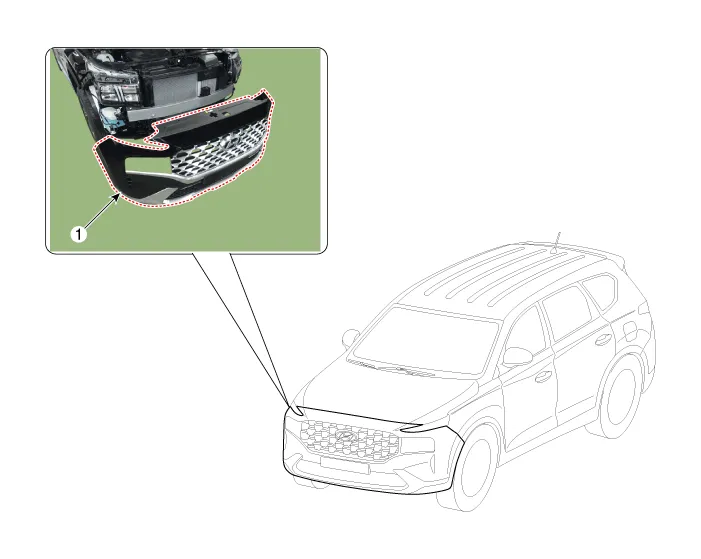
| 1. Front Bumper
Assembly |
Front Bumper Assembly. Repair procedures
| Replacement |
|

|

| 1. |
Loosen the front bumper upper mounting clips.
|

| 2. |
Loosen the front bumper lower mounting clips.
|
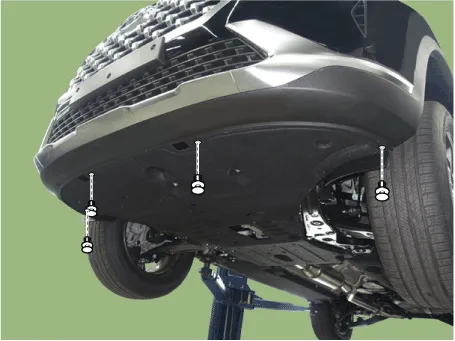
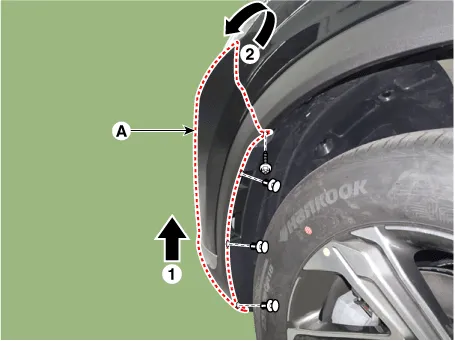
| 3. |
Loosen the mounting clis and screws on the side of front bumper (A),
detach the side part of front bumper.
|
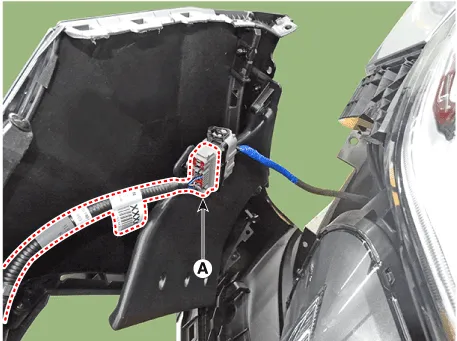
| 4. |
Press the lock pin and separate the front bumper main connector (A).
|
| 5. |
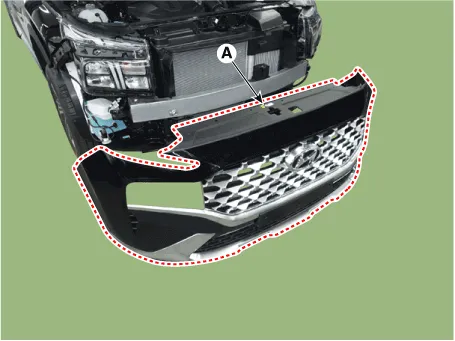
Remove the front bumper assembly (A).
|
| 6. |
To install, reverse removal procedure.
|

Radiator Grill. Components and components location
| Component Location |
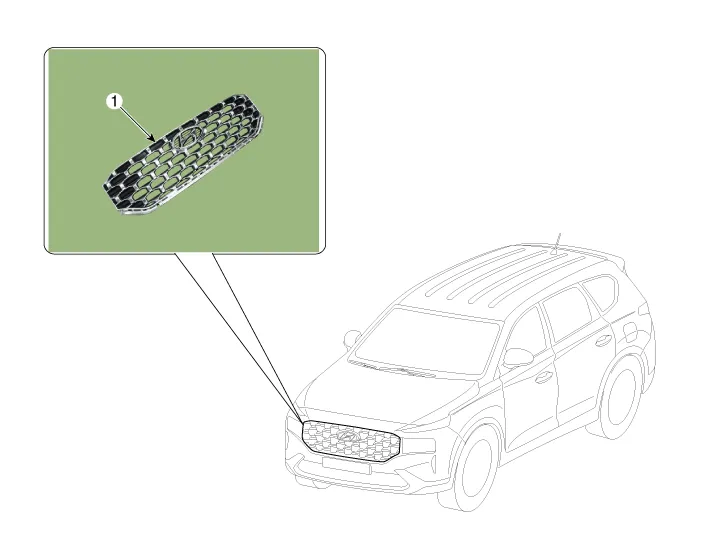
| 1. Radiator Grill |
Radiator Grill. Repair procedures
| Replacement |
|
|
| 1. |
Remove the front bumper assembly.
(Refer to Front Bumper - "Front Bumper Assembly")
|
| 2. |
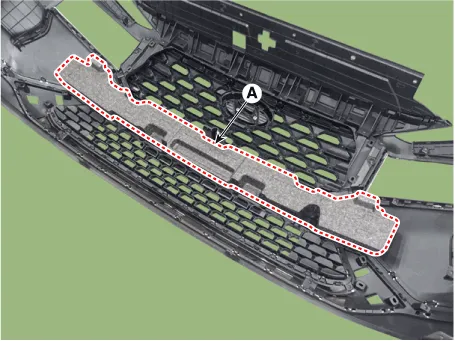
Remove the front bumper energy absorber (A).
|
| 3. |
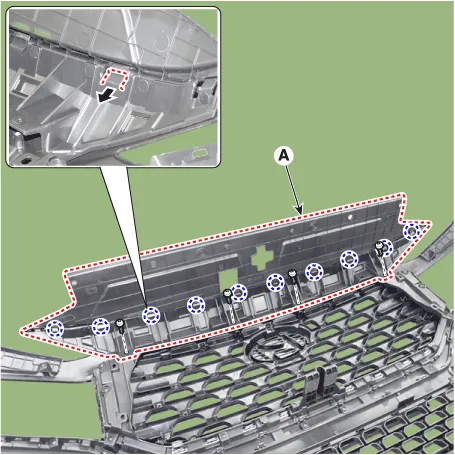
After loosening the mounting screws, remove the front bumper upper cover
(A).
|
| 4. |
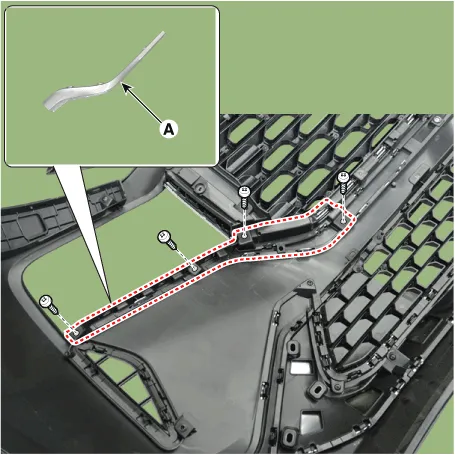
Loosen the mounting screws, remove the side front bumper molding (A).
|
| 5. |
Loosen the mounting screws, remove the license plate bracket (A).
|

| 6. |
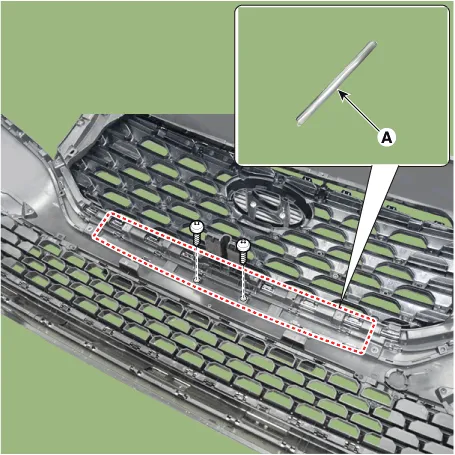
Loosen the mounting screws, remove the center front bumper molding (A).
|
| 7. |
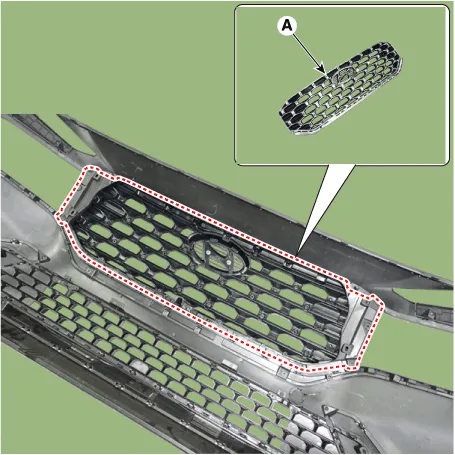
After loosening the mounting screws, remove the radiator grill (A).
|
| 8. |
To install, reverse removal procedure.
|
Front Bumper Beam Assembly. Components and components location Components Location 1. Front bumper beam assembly Front Bumper Beam Assembly.
Components and components location Components 1. Rear Bumper Side Under Cover 2. Rear Bumper Side Bracket 3.
Other information:
Hyundai Santa Fe (TM) 2019-2023 Service and Repair Manual: Rear Occupant Alert
Description and operation Description The system detects the passenger in the vehicle and prevents the driver from getting off the vehicle with the passenger in the back. - 1st warning: If you open the driver's door after you open and then close the rear passenger and turn the engine off, the system provides warn
Hyundai Santa Fe (TM) 2019-2023 Service and Repair Manual: Rear Heater
Rear Heater Unit. Components and components location Component Location 1. Rear Heater & A/C Unit Components 1. Rear heater & blower unit assembly 2. Blower motor assembly 3.
Categories
- Manuals Home
- Hyundai Santa Fe Owners Manual
- Hyundai Santa Fe Service Manual
- Electronic Parking Brake (EPB)
- Auto Hold. Warning messages
- 4 Wheel Drive (4WD) System
- New on site
- Most important about car
