
Hyundai Santa Fe (TM): LCD Display
LCD display control
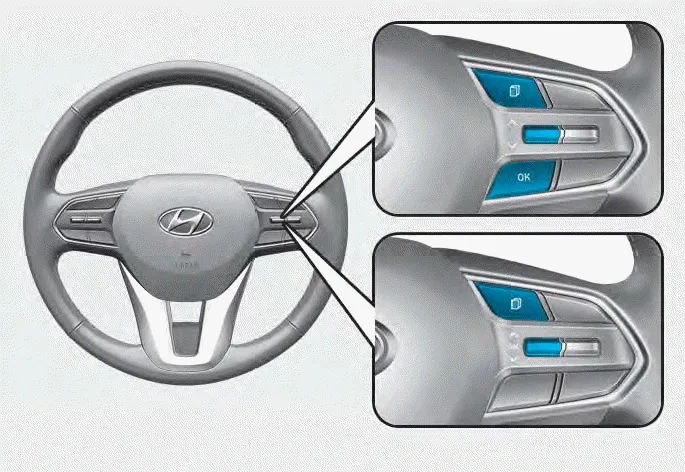
The LCD display modes can be changed by using the control buttons.

Information
When the infotainment system is applied, only the User’s Setting mode on the infotainment system is supported but the User’s Setting mode on the instrument cluster is not supported.
View modes
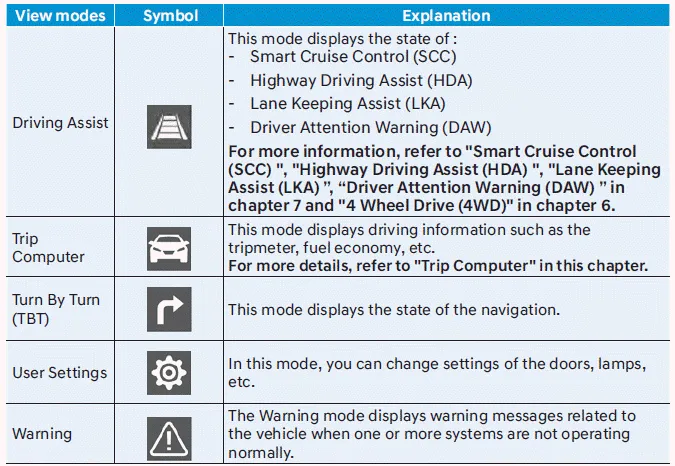
The information provided may differ depending on which functions are applicable to your vehicle.
Trip computer mode. Turn By Turn (TBT) mode
Trip computer mode
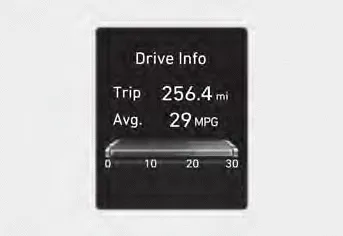
The trip computer mode displays information related to vehicle driving parameters including fuel economy, tripmeter information and vehicle speed.
For more information, refer to "Trip Computer" in this chapter.
Turn By Turn (TBT) mode
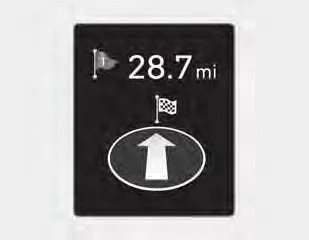
Turn-by-turn navigation, distance/time to destination information is displayed when Turn by Turn view is selected.
Driving Assist mode
SCC/HDA/LKA
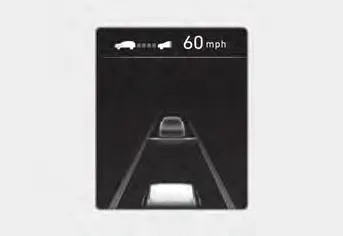
This mode displays the state of the Smart Cruise Control (SCC), Highway Driving Assist (HDA) and Lane Keeping Assist (LKA).
Driver Attention Warning
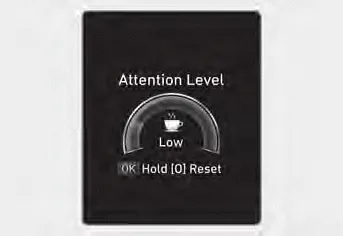
This mode displays the state of the Driver Attention Warning (DAW).
For more details, refer to “Driver Attention Warning (DAW)� in chapter 7.
Driving force distribution (4WD)
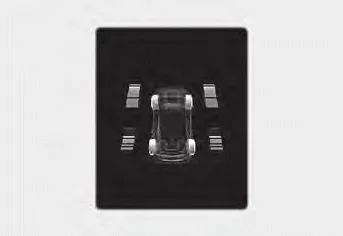
This mode displays information related to 4WD driving force.
If the vehicle is in 4WD lock state, this mode is not displayed.
Master warning group
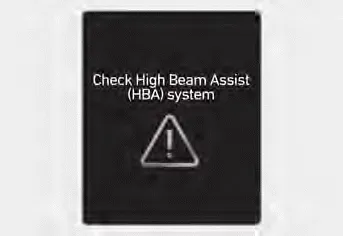
This warning light informs the driver the following situations.
- Forward Collision-Avoidance Assist malfunction (if equipped)
- Forward Collision-Avoidance Assist radar blocked (if equipped)
- Blind-Spot Collision Warning malfunction (if equipped)
- Blind-Spot Collision Warning radar blocked (if equipped)
- LED headlight malfunction (if equipped)
- High Beam Assist malfunction (if equipped)
- Smart Cruise Control malfunction (if equipped)
- Smart Cruise Control radar blocked (if equipped)
- Tire Pressure Monitoring System (TPMS) malfunction
The Master Warning Light illuminates if one or more of the above warning situations occur.
At this time, a Master Warning icon (
 )
will appear beside the User Settings icon (
)
will appear beside the User Settings icon (
 ),
on the LCD display.
),
on the LCD display.
If the warning situation is solved, the master warning light will be turned off and the Master Warning icon will disappear.
Tire Pressure
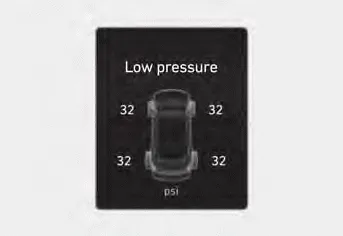
This mode displays information related to Tire Pressure.
User settings mode
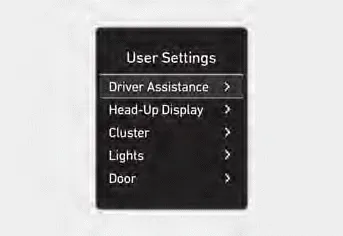
In this mode, you can change the settings of the instrument cluster, doors, lamps, etc.
1. Driver Assistance
2. Head-Up Display
3. Cluster
4. Lights
5. Door
6. Convenience
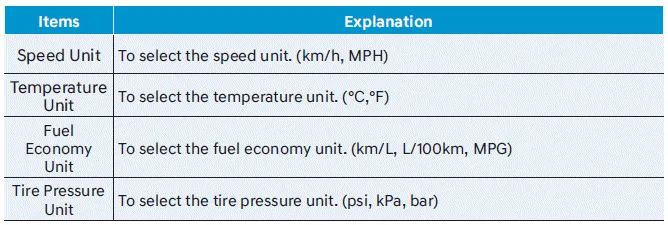
7. Units
The information provided may differ depending on which functions are applicable to your vehicle.
Shift to P to edit settings
This warning message illuminates if you try to select an item from the User Settings mode while driving.
- Automatic transmission / Dual clutch transmission.
For your safety, change the User Settings after parking the vehicle, applying the parking brake and selecting the shift button to P(Park).
Quick guide (Help)
This mode provides quick guides for the systems in the User Settings mode.
Select an item, press and hold the OK button.
For more details about each system, refer to this Owner’s Manual.
Information
When the infotainment system is applied, only the User’s Setting mode on the infotainment system is supported but the User’s Setting mode on the instrument cluster is not supported.
1. Driver Assistance
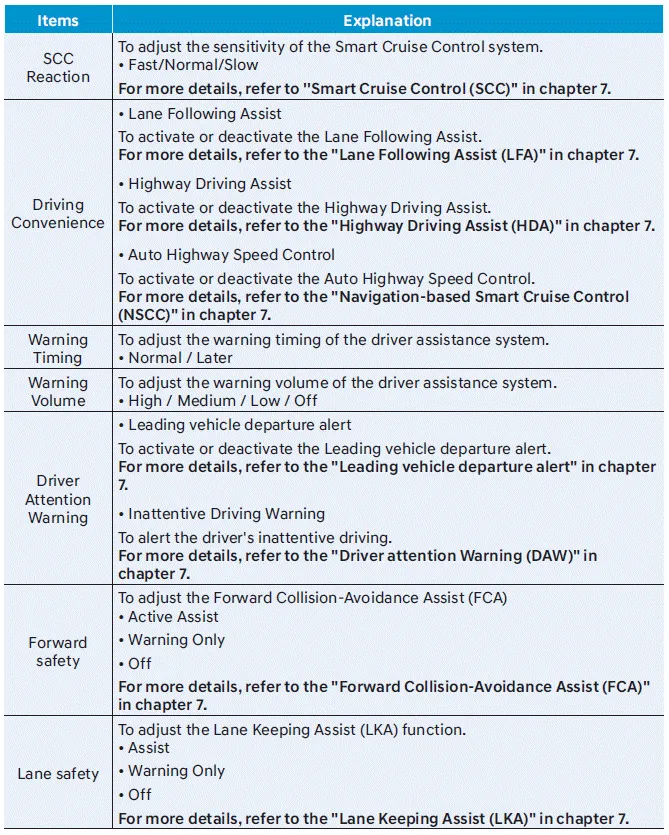
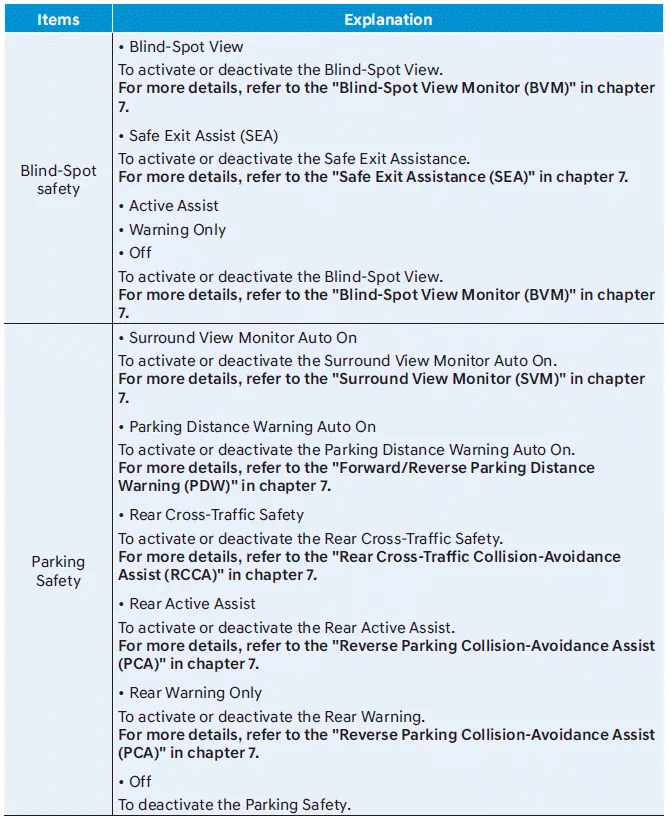
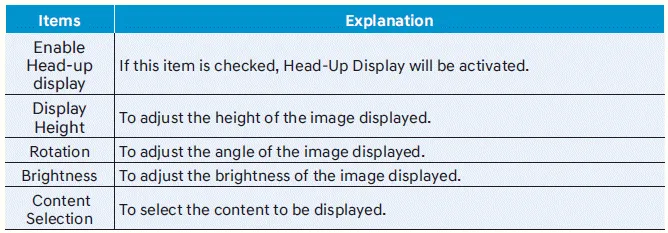
2. Head-Up Display
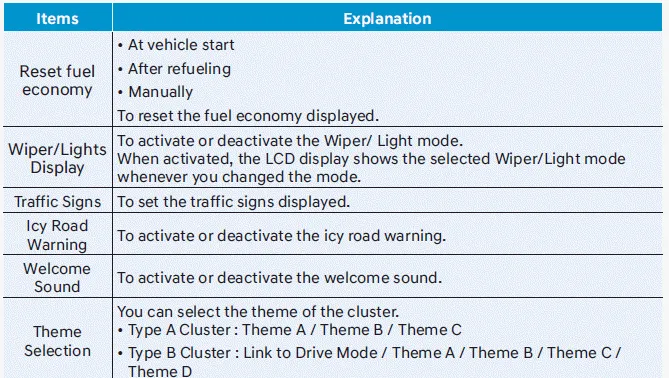
3. Cluster
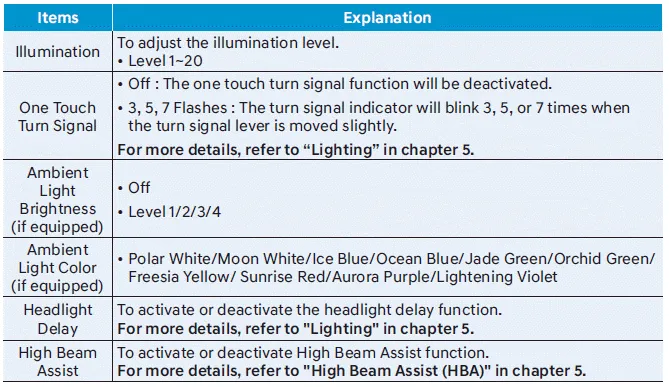
4. Lights
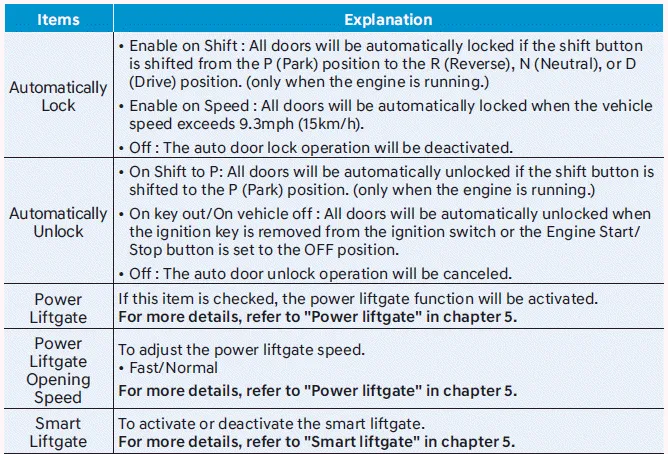
5. Door
6. Convenience
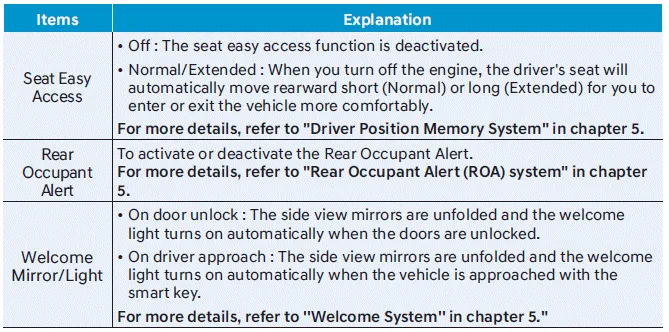
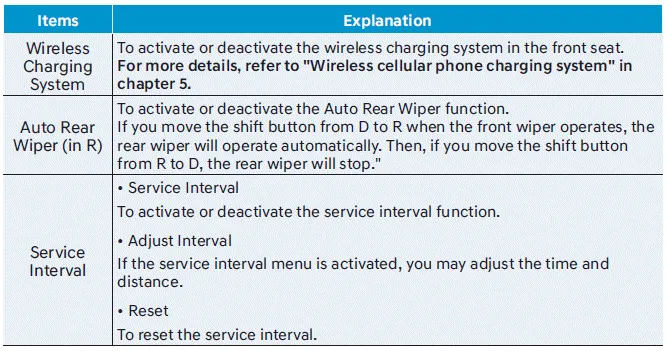
7. Units
Trip computer (Type A)
The trip computer is a microcomputercontrolled driver information system that displays information related to driving.
Information
Some driving information stored in the trip computer (for example Average Vehicle Speed) resets if the battery is disconnected.
Trip modes
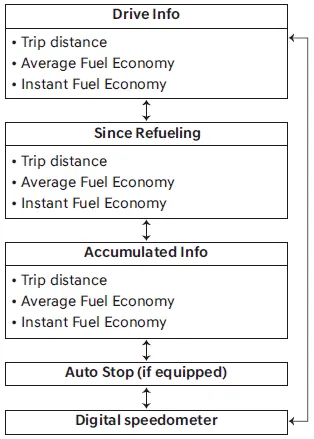
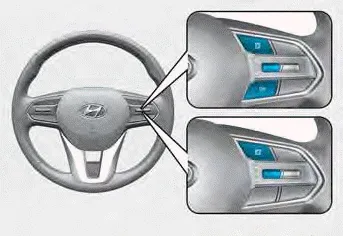
To change the trip mode, toggle the "Ë„, Ë…" switch on the steering wheel
- Manual reset
To clear the average fuel economy manually, press the OK switch on the steering wheel for more than 1 second when the Average Fuel Economy is displayed. - Automatic reset
To automatically reset the average fuel economy, select between ‘After Ignition’ or ‘After Refueling’ from the Settings menu in the instrument cluster.
- After Ignition: When the engine has been OFF for 3 minutes or longer the average fuel economy will reset automatically.
- After Refueling: The average fuel economy will reset automatically after adding 6 liters (1.6 gallons) of fuel or more and after driving speed exceeds 1 mph (1 km/h).
For 12.3-inch instrument cluster, you can check the fuel economy in the center bottom of the cluster.
Drive info

Trip distance (1), average fuel economy (2), and instant fuel economy (3) are displayed.
The information is combined for each ignition cycle. However, when the engine has been OFF for 3 minutes or longer the Drive Info screen will reset.
To reset manually, press the OK switch on the steering wheel for more than 1 second when ‘Drive Info’ is displayed.
Since refuel(l)ing
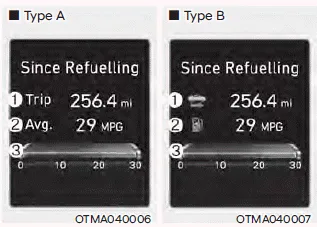
Trip distance (1), average fuel economy (2), and instant fuel economy (3) after the vehicle has been refueled are displayed.
To reset manually, press the OK switch on the steering wheel for more than 1 second when ‘Since Refueling’ is displayed.
Accumulated info
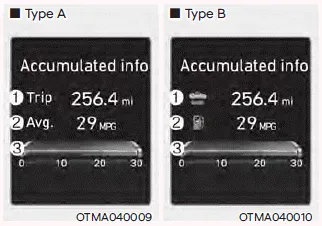
Accumulated trip distance (1), average fuel economy (2), and instant fuel economy (3) are displayed.
The information is accumulated starting from the last reset.
To reset manually, press the OK switch on the steering wheel for more than 1 second when ‘Accumulated Info’ is displayed.
Auto stop
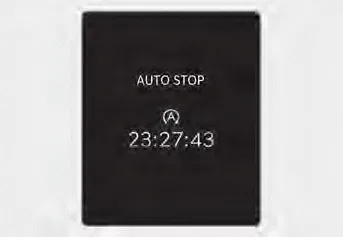
AUTO STOP display shows the elapsed time of engine stop by Idle Stop and Go system.
Digital speedometer
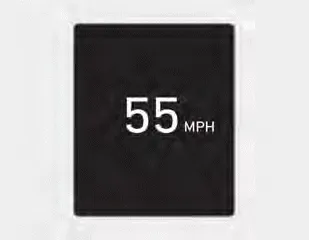
Digital speedometer display shows the speed of the vehicle.
Trip computer (Type B)
The trip computer is a microcomputercontrolled driver information system that displays information related to driving.
Information
Some driving information stored in the trip computer (for example Average Vehicle Speed) resets if the battery is disconnected.
Trip modes
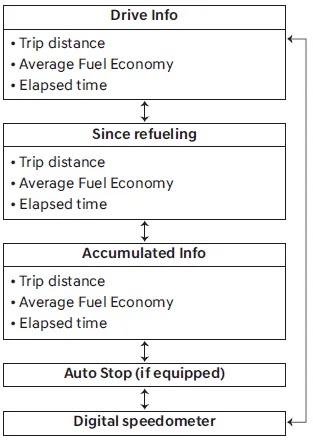
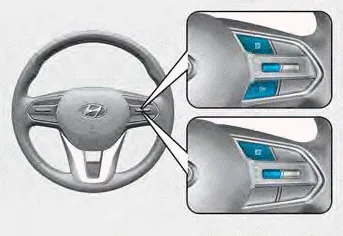
To change the trip mode, toggle the "Ë…, Ë„" switch on the steering wheel
- Manual reset
To clear the average fuel economy manually, press the OK switch on the steering wheel for more than 1 second when the Average Fuel Economy is displayed. - Automatic reset
To automatically reset the average fuel economy, select between ‘After Ignition’ or ‘After Refueling’ from the Settings menu in the instrument cluster.
- After Ignition: When the engine has been OFF for 3 minutes or longer the average fuel economy will reset automatically.
- After Refueling: The average fuel economy will reset automatically after adding 6 liters (1.6 gallons) of fuel or more and after driving speed exceeds 1 mph (1 km/h).
Shift to P (for smart key system) This message is displayed if you try to turn off the vehicle without the gear in the P (Park) position. If this occurs, the Engine Start/Stop button turns to the ACC position.
Other information:
Hyundai Santa Fe (TM) 2019-2023 Service and Repair Manual: Smart Key Unit. Repair procedures
Removal Integrated Body Control Unit (IBU) 1. Disconnect the negative (-) battery terminal. 2. Remove the glove box. (Refer ti Body - "Glove Box") 3.
Hyundai Santa Fe (TM) 2019-2023 Service and Repair Manual: Keyless Entry And Burglar Alarm
Description and operation Description Burglar Alarm State [B/A State] B/A State Description DISARM 1) In "DISARM" state, no vehicle start inhibition.
Categories
- Manuals Home
- Hyundai Santa Fe Owners Manual
- Hyundai Santa Fe Service Manual
- Engine Control/Fuel System
- Rear seats
- Power Tailgate Module
- New on site
- Most important about car
