
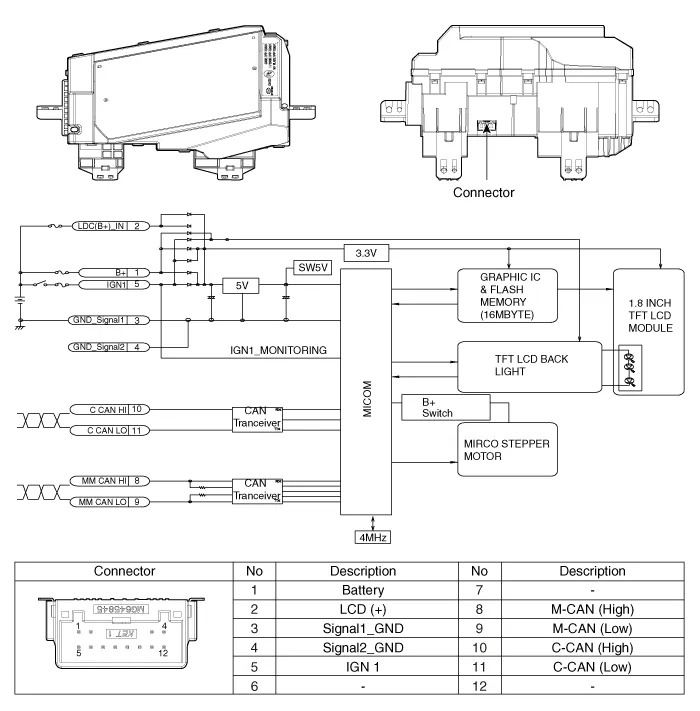
Hyundai Santa Fe (TM): Head Up Display System / Head Up Display Unit. Components and components location
| Component |
Components Location 1. Head Up Display (HUD) 2. Rain(Light) sensor 3. Cluster (User setting menu On/Off)
Troubleshooting Category Error symptoms inspection item Detailed inspection item Related parts Lighting • HUD not working • Lighting brightness not automatically controlled (no difference between day and night) • Check the lighting control • Check the ambient light sensor operation • Check the CAN communication • Check the lighting control in the cluster USM → If working, HUD has no problem.
Other information:
Hyundai Santa Fe (TM) 2019-2023 Service and Repair Manual: Smart Cruise Control (SCC) Switch. Repair procedures
Inspection 1. Check for resistance between terminals in left switch position. [Audio/Bluetooth] Switch Connector terminal Resistance (± 3%) SEEK Up 1 - 6 430 Ω
Hyundai Santa Fe (TM) 2019-2023 Service and Repair Manual: Troubleshooting
Troubleshooting Diagnosis with Diagnostic tool 1. In the body electrical system, failure can be quickly diagnosed by using the vehicle diagnostic system (Diagnostic tool). The diagnostic system (Diagnostic tool) provides the following information.