
Hyundai Santa Fe (TM): Driveshaft and axle / Rear Driveshaft Assembly
Components and components location
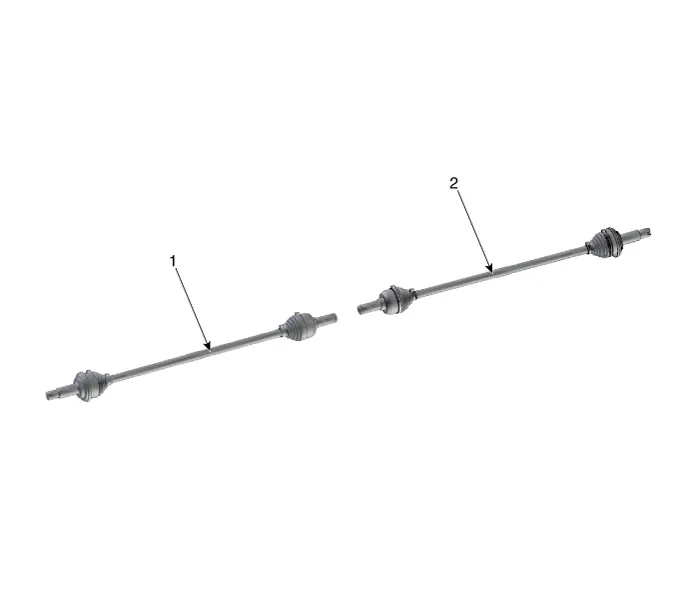
| Components |
|
1. Rear drive shaft (left) |
2. Rear drive shaft (right) |
Repair procedures
| Removal |
|

| 1. |
Loosen the wheel nuts slightly.
Raise the vehicle, and make sure it is securely supported.
|
| 2. |
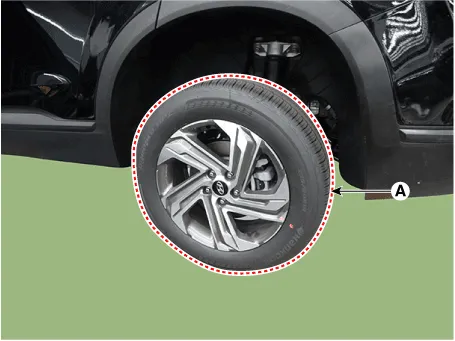
Remove the rear wheel and tire (A) from rear hub.
|

| 3. |
Remove the rear brake caliper.
(Refer to Brake System - "Rear Disc Brake")
|
| 4. |
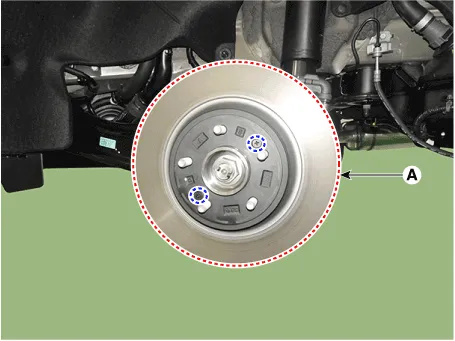
Loosen the screw and then removing the rear brake disc (A).
|
| 5. |
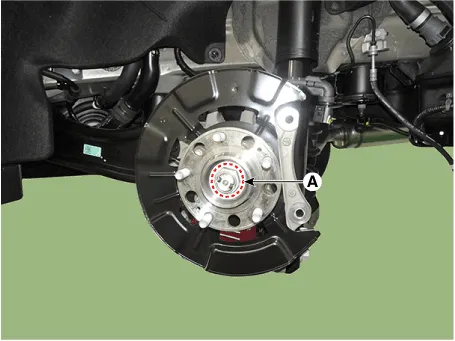
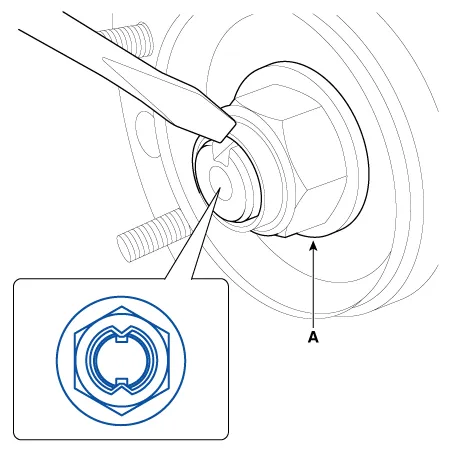
Loosen the driveshaft caulking nut (A) from the rear hub.
|
| 6. |
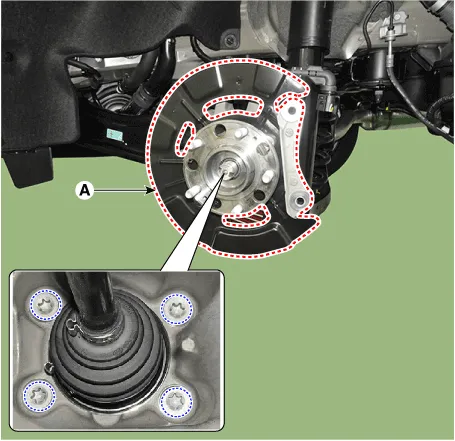
Remove the rear hub assembly and dust cover (A) after loosening the
mounting bolts.
|
| 7. |
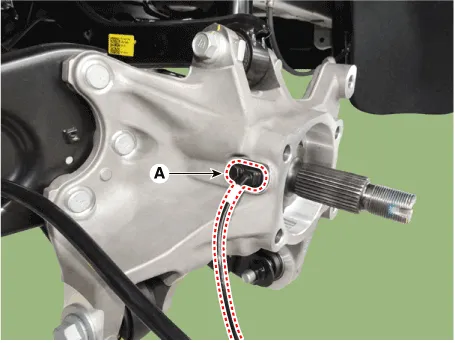
Remove the rear wheel speed sensor (A) after loosening the mounting
bolt.
|
| 8. |
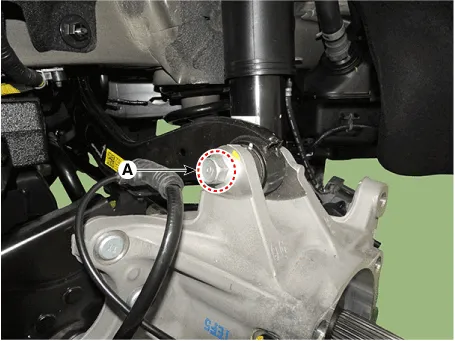
Remove the rear upper arm from the rear carrier after loosening the
bolt and nut (A).
|
| 9. |
Remove the trailing arm from the rear carrier after loosening the mounting
nuts (A).
|
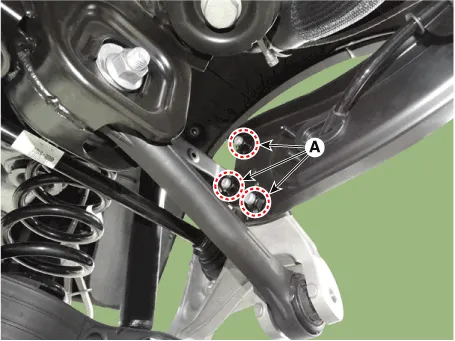
| 10. |
Remove the rear assist arm from the rear carrier after loosening the
bolt and nut (A).
|
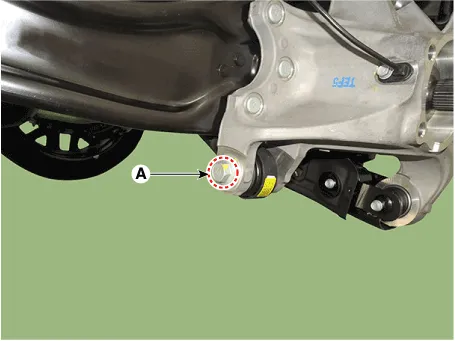
| 11. |
Remove the rear lower arm from the rear carrier after loosening the
bolt and nut (A).
|
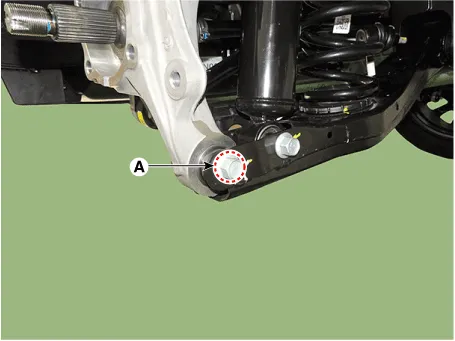
| 12. |
Remove the rear drive shaft (B) from the rear axle assembly (A).
|
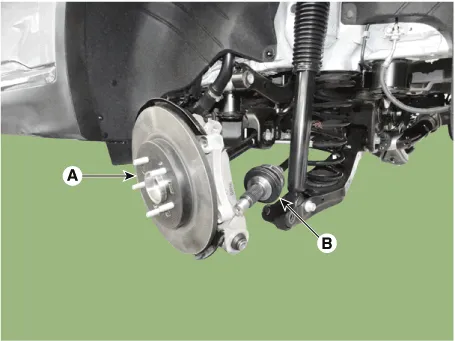
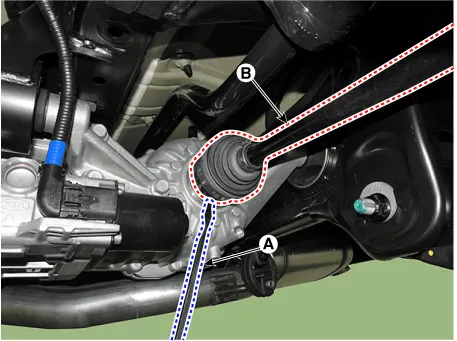
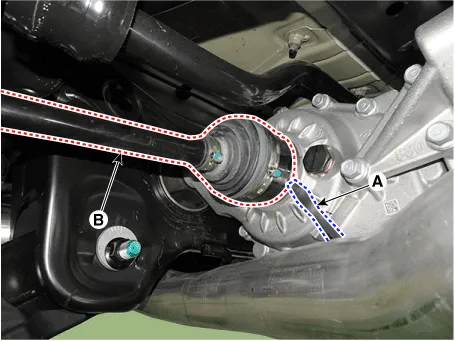
| 13. |
Remove the rear drive shaft (B) from the differential by using the pry
bar (A).
[LH]
[RH]
|
| Inspection |
| 1. |
Check the driveshaft boots for damage and deterioration.
|
| 2. |
Check the ball joint for wear and damage.
|
| 3. |
Check the splines for wear and damage.
|
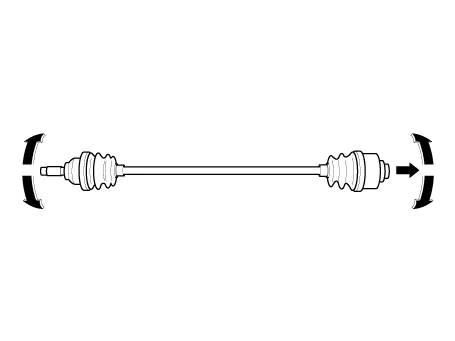
| 4. |
Check the driveshaft for cracks and wears.
|
| 5. |
Check the TJ outer race, inner race, cage and balls for rust or damage.
|
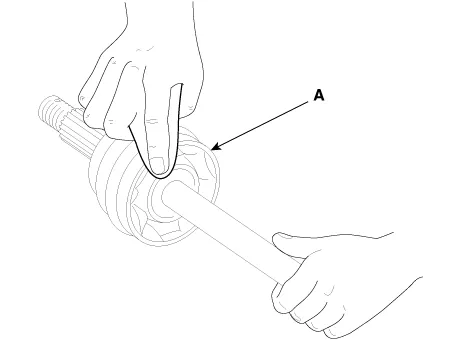
| 6. |
Check for water, foreign matter, or rust in the BJ boot.
|
| Disassembly |
|
| 1. |
Remove the TJ boot bands and pull the TJ boot from the TJ outer race.
|
| 2. |
Pull out the driveshaft from the TJ outer race.
|
| 3. |
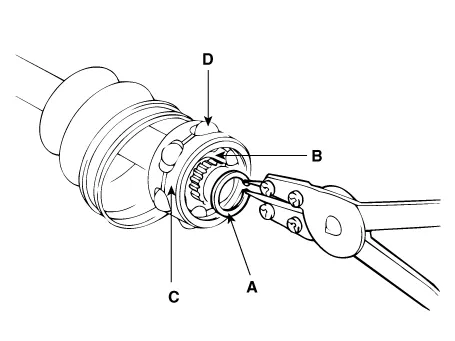
Remove the snap ring (A) and take out the inner race(B), cage(C) and
balls(D) as an assembly.
|
| 4. |
Clean the inner race, cage and balls without disassembling.
|
| 5. |
Remove the BJ boot bands and pull out the TJ boot and BJ boot.
|
| Reassembly |
| 1. |
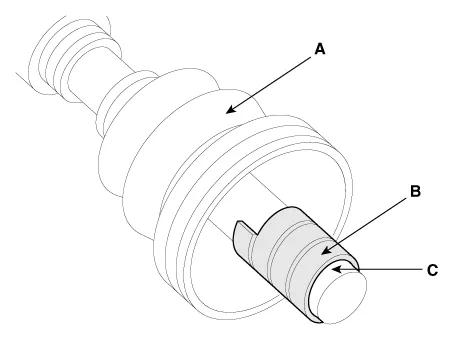
Wrap tape around the driveshaft splines (TJ side ) to prevent damage
to the boots.
|
| 2. |
Apply grease to the driveshaft and install the boots.
|
| 3. |
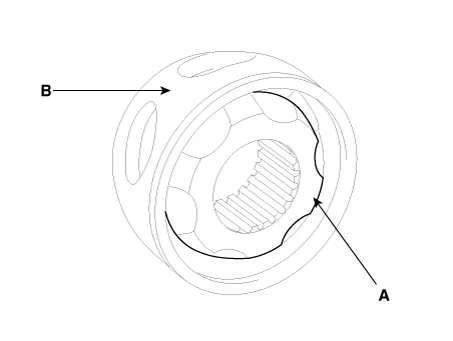
Apply the specified grease to the inner race (A) and cage (B). Install
the cage (B) so that it is offset on the race as shown.
|
| 4. |
Apply the specified grease to the cage and fit the balls into the cage.
|
| 5. |
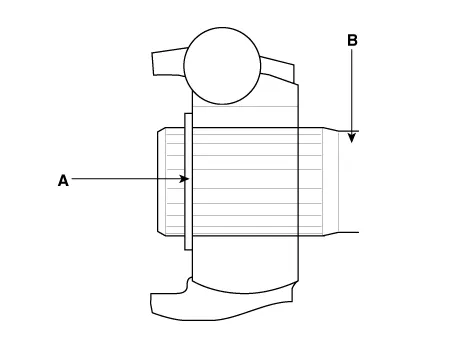
Position the chamfered side (A) as shown in the illustration. Install
the inner race on the driveshaft(B), and then the snap ring.
|
| 6. |
Apply the specified grease to the outer race and install the BJ outer
race onto the driveshaft.
|
| 7. |
Apply the specified grease into the TJ boot and install the boot with
a clip.
|
| 8. |
Tighten the TJ boot bands.
|
| 9. |
Add the specified grease to the BJ as much as wiped away at inspection.
|
| 10. |
Install the boots.
|
| 11. |
Tighten the BJ boot bands.
|
| 12. |
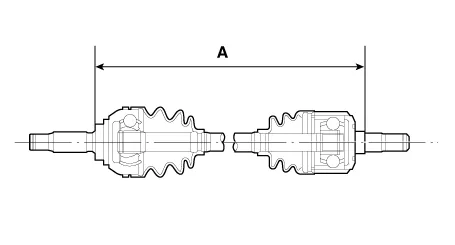
To control the air in the TJ boot, keep the specified distance between
the boot bands when they are tightened.
|
| Installation |
| 1. |
To install, reverse the removal procedures.
|
| 2. |
Check the alignment.
(Refer to Suspension System - "Alingment")
|
Components and components location Components 1. Rear brake disc 2. Rear hub assembly 3. Dust cover 4. Rear carrier assembly Repair procedures Removal • Be careful not to damage the parts located under the vehicle (floor under cover, fuel filter, fuel tank and canister) when raising the vehicle using the lift.
Components and components location Components 1. Front propeller shaft 2. Center bearing bracket 3. Rear propeller shaft Repair procedures Removal • Be careful not to damage the parts located under the vehicle (floor under cover, fuel filter, fuel tank and canister) when raising the vehicle using the lift.
Other information:
Hyundai Santa Fe (TM) 2019-2023 Service and Repair Manual: AC Inverter System
Description and operation Description An inverter is a device that transforms the DC voltage from the battery into an AC voltage (220 V). The inverter can power various electrical devices that consume 200 W or less, including mobile phone or notebook rechargers, audio systems, and TVs.
Hyundai Santa Fe (TM) 2019-2023 Service and Repair Manual: Repair procedures
Refrigerant System Service Basics (R-134a) Refrigerant Recovery Use only service equipment that is U.L-listed and is certified to meet the requirements of SAE J2210 to remove HFC-134a(R-134a) from the air conditioning system.
Categories
- Manuals Home
- Hyundai Santa Fe Owners Manual
- Hyundai Santa Fe Service Manual
- Lane Following Assist (LFA)
- Emission Control System
- LCD Display
- New on site
- Most important about car
