
Hyundai Santa Fe (TM): Body (Interior and Exterior) / Front Bumper
Components and components location
| Components |

| 1. Front bumper
side bracket [LH] 2. Front bumper side bracket [RH] |
3. Front bumper
assembly |
Front Bumper Assembly. Components and components location
| Component Location |
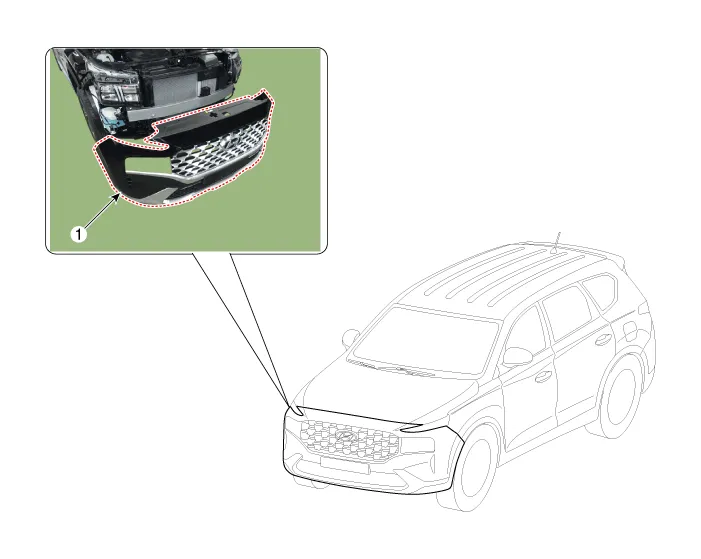
| 1. Front Bumper
Assembly |
Front Bumper Assembly. Repair procedures
| Replacement |
|

|

| 1. |
Loosen the front bumper upper mounting clips.
|

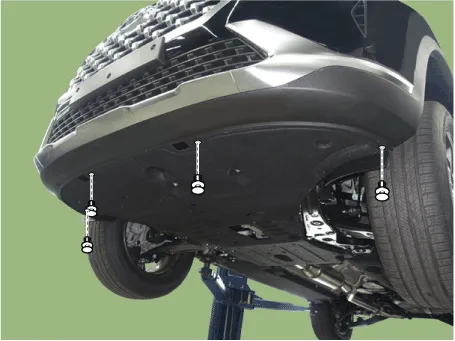
| 2. |
Loosen the front bumper lower mounting clips.
|
| 3. |
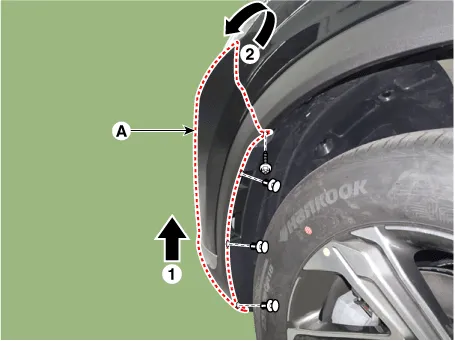
Loosen the mounting clis and screws on the side of front bumper (A),
detach the side part of front bumper.
|
| 4. |
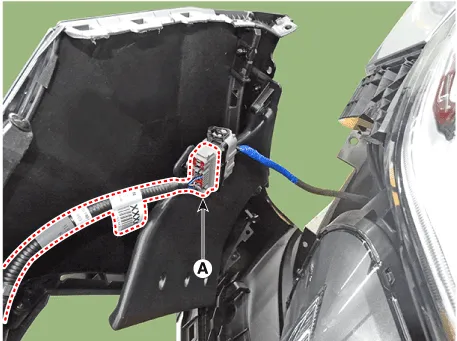
Press the lock pin and separate the front bumper main connector (A).
|
| 5. |
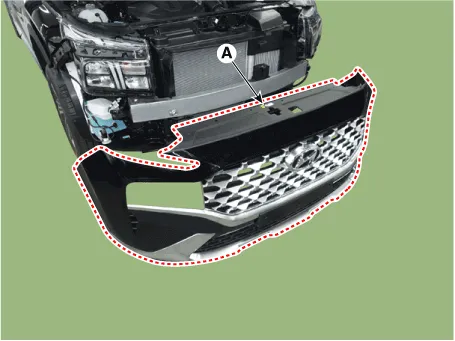
Remove the front bumper assembly (A).
|
| 6. |
To install, reverse removal procedure.
|

Radiator Grill. Components and components location
| Component Location |
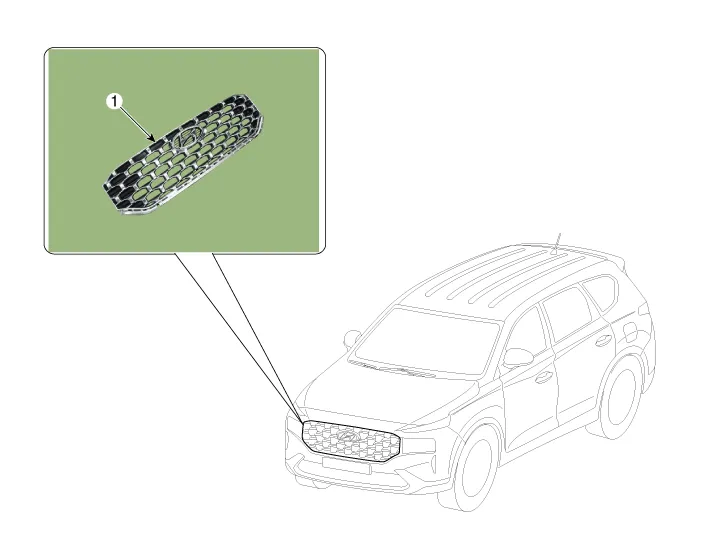
| 1. Radiator Grill |
Radiator Grill. Repair procedures
| Replacement |
|
|
| 1. |
Remove the front bumper assembly.
(Refer to Front Bumper - "Front Bumper Assembly")
|
| 2. |
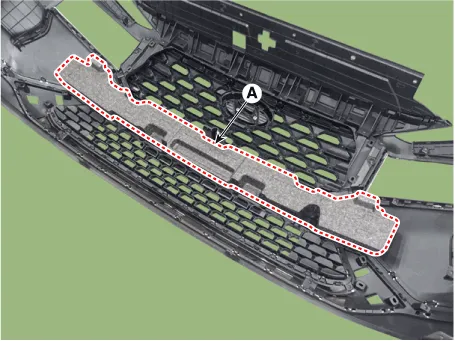
Remove the front bumper energy absorber (A).
|
| 3. |
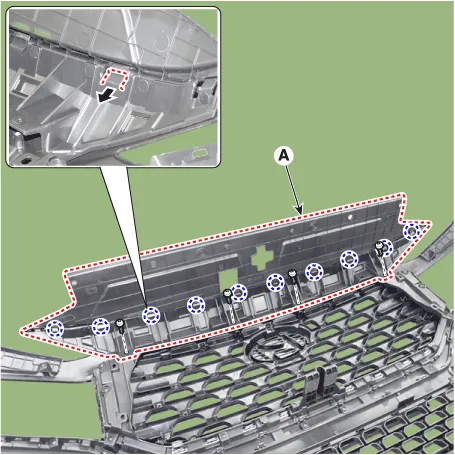
After loosening the mounting screws, remove the front bumper upper cover
(A).
|
| 4. |
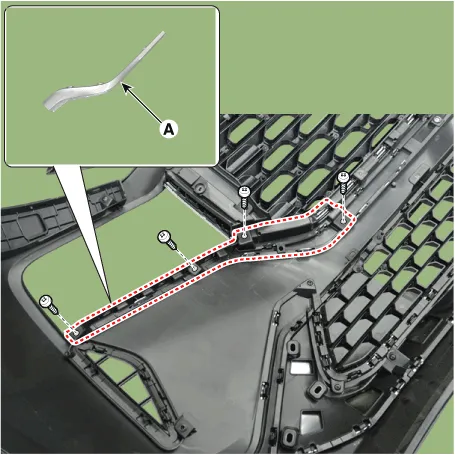
Loosen the mounting screws, remove the side front bumper molding (A).
|
| 5. |
Loosen the mounting screws, remove the license plate bracket (A).
|

| 6. |
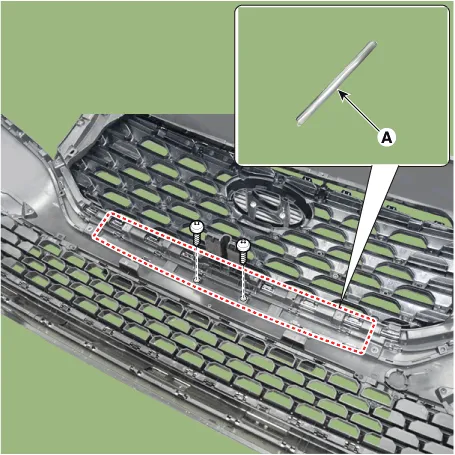
Loosen the mounting screws, remove the center front bumper molding (A).
|
| 7. |
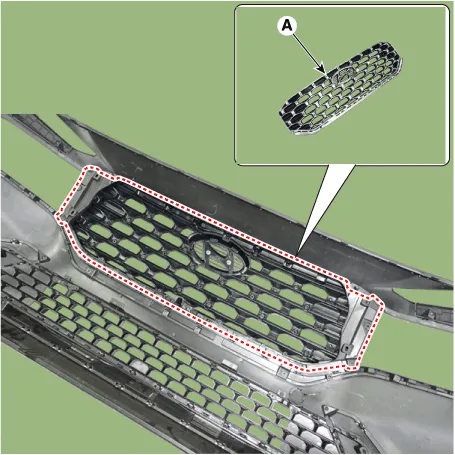
After loosening the mounting screws, remove the radiator grill (A).
|
| 8. |
To install, reverse removal procedure.
|
Front Bumper Beam Assembly. Components and components location Components Location 1. Front bumper beam assembly Front Bumper Beam Assembly.
Components and components location Components 1. Rear Bumper Side Under Cover 2. Rear Bumper Side Bracket 3.
Other information:
Hyundai Santa Fe (TM) 2019-2023 Service and Repair Manual: Power Door Mirrors
Components and components location Component Location 1. Power door mirror 2. Power door mirror switch 3. Power folding mirror switch Power Door Mirror Switch. Schematic diagrams Circuit Diagram Power Door Mirror Switch.
Hyundai Santa Fe (TM) 2019-2023 Service and Repair Manual: Rear View Monitor (RVM)
Description and operation Description Back view camera will activate when the backup light is ON with the ignition switch ON and the shift lever in the R position. This system is a supplemental system that shows behind the vehicle through the H/UNIT or the ECM (Reverse Display Room Mirror) mirror while backing-up.
Categories
- Manuals Home
- Hyundai Santa Fe Owners Manual
- Hyundai Santa Fe Service Manual
- Identification Numbers
- Front Radar Unit. Repair procedures
- Parking Brake System. Electronic Parking Brake (EPB)
- New on site
- Most important about car
