
Hyundai Santa Fe (TM): Front Radar System / General safety information and caution
Hyundai Santa Fe (TM) 2019-2023 Service and Repair Manual / Advanced Driver Assistance System (ADAS) / Front Radar System / General safety information and caution
| General Safety Information and Caution |
| 1. |
Be careful when driving the vehicle using the smart cruise control system
as follows.
|
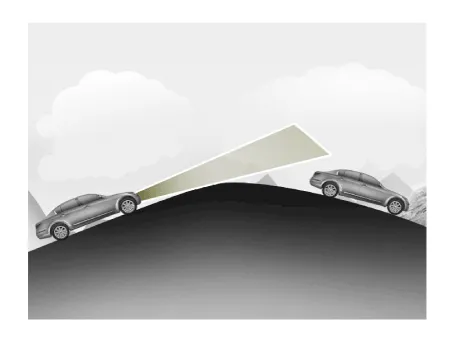
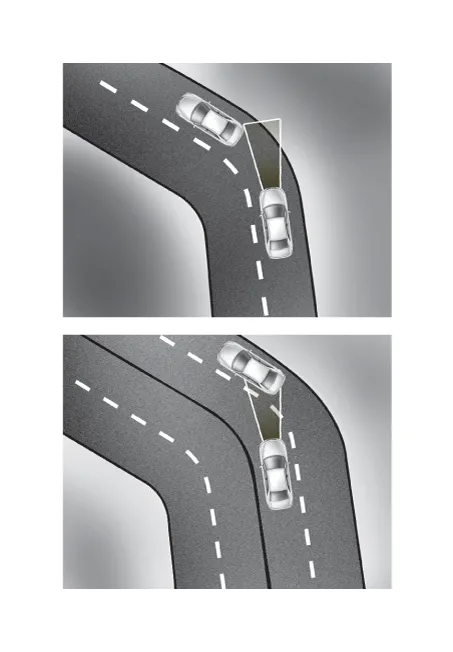
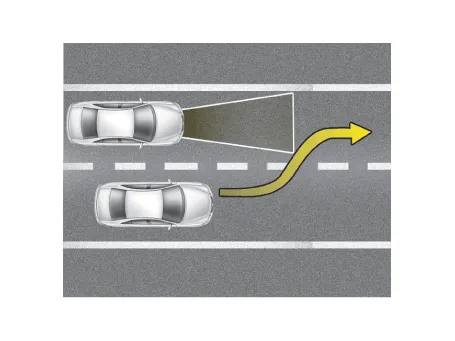
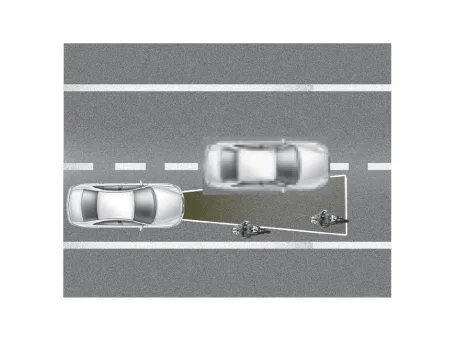
| 2. |
In this following situation, the front vehicle can’t be recognized correctly
so control the vehicle speed by applying the brake pedal or accelerator
pedal if necessary.
|
| 3. |
If the smart cruise control is left on (CRUISE indicator light ON),
the smart cruise control can be switched on accidentally. Keep the smart
cruise control system off (CRUISE indicator light OFF) when the smart
cruise control is not in use, to avoid inadvertently setting a speed.
|
| 4. |
Observe a regulation speed on road when setting the cruise speed.
|
| 5. |
Use the smart cruise control system only when traveling on open highways
in good weather. Do not use the smart cruise control when it may not
be safe to keep the car at a constant speed, for instance, driving in
heavy or varying traffic, or on slippery (rainy, icy or snow-covered)
or winding roads or over 6% up-hill or down-hill roads.
|
| 6. |
Pay particular attention to the driving conditions whenever using the
smart cruise control system.
|
| 7. |
The vehicle cannot be stopped by using the smart cruise control system.
If emergency stop is necessary, you should apply the brakes.
|
| 8. |
Keep the safety distance according to road conditions and vehicle speed.
If the following distance is too close at a high speed driving, it is
dangerous.
|
| 9. |
The smart cruise control system can not recognize a stopped vehicle,
pedestrians or an oncoming vehicle. Always look ahead cautiously to
prevent unexpected and sudden situations from occurring.
|
| 10. |
The smart cruise control system is not a substitute for safe driving
practices but a supplementary function only. It is the responsibility
of the driver to always check the speed and the distance to the vehicle
ahead.
|
| 11. |
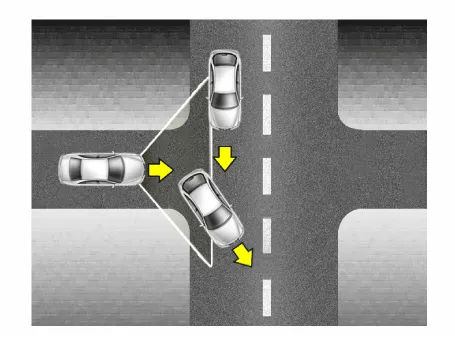
In front of you, vehicles moving with a frequent lane change may cause
a delay in the system's reaction or may cause the system to react to
a vehicle actually in adjacent lane. Always look ahead cautiously to
prevent unexpected and sudden situations from occurring.
|
| 12. |
Your vehicle may accelerate when a vehicle ahead of you disappears.
When you are warned that the vehicle ahead of you is not detected, drive
with caution.
|
| 13. |
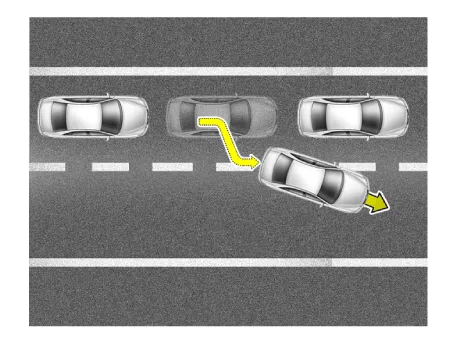
When vehicles are at a standstill and the vehicle in front of you changes
to the next lane, be careful when your vehicle starts to move because
it may not recognize the stopped vehicle in front of you.
|
| 14. |
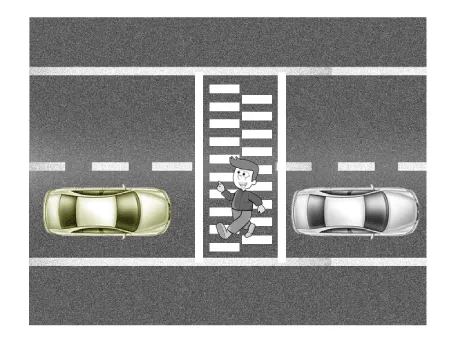
Always look out for pedestrians when your vehicle is maintaining a distance
with the vehicle ahead.
|
| 15. |
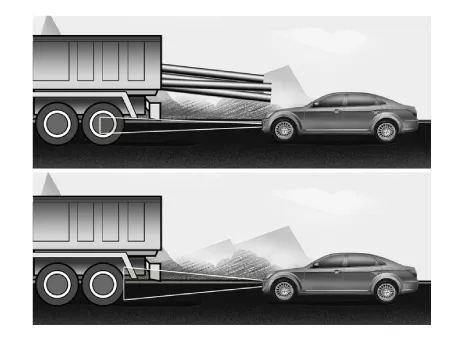
Always be cautious for vehicles with higher height or vehicles carrying
loads that sticks out to the back of the vehicle.
|
Description and operation The System may be limited when • The radar sensor or camera is blocked with a foreign object or debris.
Other information:
Hyundai Santa Fe (TM) 2019-2023 Service and Repair Manual: Front Radar Unit. Components and components location
Hyundai Santa Fe (TM) 2019-2023 Service and Repair Manual: Surround View Monitor (SVM)
Description and operation Description Surround View Monitor (SVM) is the system that allows video monitoring of 360 degrees around the vehicle. The system includes 4 ultra optical camera mounted around the vehicle (front, both sides, rear).
Categories
- Manuals Home
- Hyundai Santa Fe Owners Manual
- Hyundai Santa Fe Service Manual
- Emission Control System
- Front Radar Unit. Repair procedures
- Vehicle Information, Consumer Information and Reporting Safety Defects
- New on site
- Most important about car

Copyright © 2026 www.hsafe4.com - 0.0257