
Hyundai Santa Fe (TM): ISG system operation / LCD display messages
The messages are displayed on the instrument cluster to help use ISG system.
Auto Stop is Off. Shift to P or N to start engine
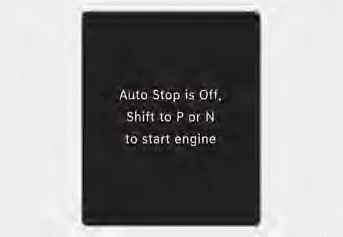
When the system is deactivated, the ISG off button indicator will illuminate and a message will appear on the cluster LCD display with a warning sound in the following situations.
- When the engine hood is opened.
- When ISG system is not working normally.
If this occurs, depress the brake pedal and restart the engine manually. For your safety, restart the vehicle in the P (Park) position.
Press brake pedal before driving on / Press brake pedal for Auto Start
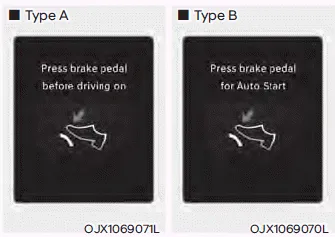
When the gear is shifted from N (Neutral) to R (Reverse), D (Drive) or Manual shift mode without the brake pedal depressed, a message will appear on the cluster LCD display. To activate auto start, depress the brake pedal.
AUTO STOP elapsed time
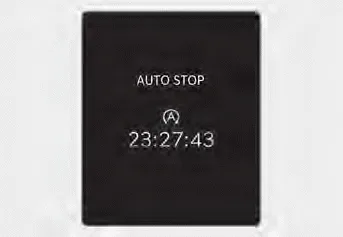
AUTO STOP display shows the elapsed time of engine stop by the Idle Stop and Go system.
You may check AUTO STOP elapsed time in the Utility view on the instrument cluster.
When the engine stops automatically by ISG, the engine will restart if one of the following is done. - Release the brake pedal. - When Auto Hold is activated, take your foot off the brake pedal and then depress the accelerator pedal.
Press the ISG OFF button to turn off ISG system. The ISG OFF button indicator will illuminate. To use the system, press the ISG OFF button again.
Other information:
Hyundai Santa Fe (TM) 2019-2023 Service and Repair Manual: Auto Defogging Actuator. Components and components location
Hyundai Santa Fe (TM) 2019-2023 Service and Repair Manual: Components and components location
Component Location 1. Integrated Body Control Unit (IBU) 2. Ultrasonic Sensor ※ PDW function is applied alone, it is integrated into IBU (Integrated Body Control Unit). ※ PDW function is applied with RSPA function, it is integrated into ADAS_PRK controller.